Your customers order on their own. Your team serves.
At the table or at the counter, they scan, order and pay from their phone — card or TWINT. The ticket comes out in the kitchen on its own, and your counter stops overflowing at lunchtime.
How it works
Set up your venue
One form: restaurant or bar, service type, kitchen model, tables. You are up and running the same day, with no technician.
They find you, then they order
Someone searching for “a terrace nearby” or “gluten-free within a kilometre” sees you come up on the map or in the list, with your dishes, your rating and your real wait. On site, your customers scan your QR code, give their table or choose pickup at the counter, order and pay from their phone — with an account or anonymously, from the browser or from the installed app.
The order goes to the right place
Drinks to the bar, dishes to the kitchen — on screen, on a printed ticket, or both: each station works the way it prefers. Drinks go out without waiting for the food.
You serve and take payment
Line-by-line delivery, a bill kept up to date per table, payment at the end of the meal — or an order already paid in the app.
What everyone gets out of it
For you
- Up and running the same day: the venue is set up from a form, not from an IT project.
- People find you before they know you: you show up on the map and in the searches of anyone looking for something to eat nearby — with your dishes, your rating and your real wait. One more table stops being a matter of luck.
- The app-only discount moves the order onto the customer’s phone. Your team serves instead of taking orders, exactly at the hours when it has no hands left.
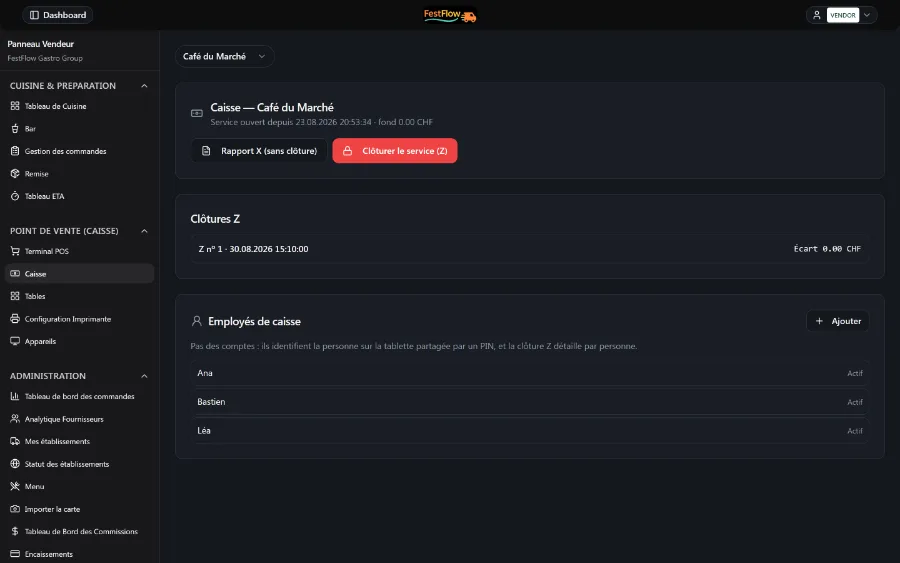
- Your numbers without keeping anything up to date: what sells and at what hour, how long your kitchen really takes to send a dish out, and sales per employee at the cash close. You decide your menu and your opening hours on facts, not on a feeling.
For your team
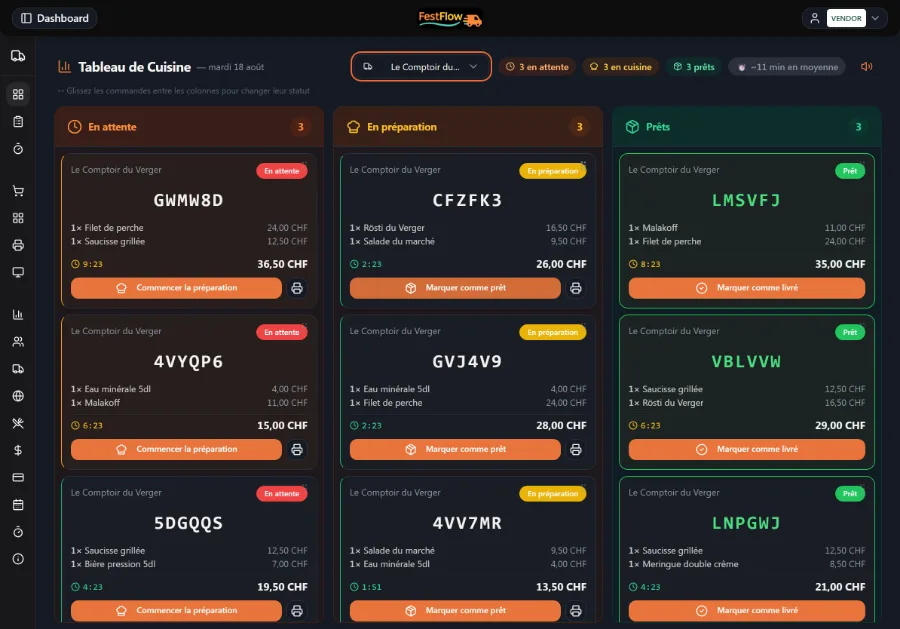
- The kitchen works how it likes: screen, printed tickets, or both — no more orders shouted across the counter.
- The waiter takes the order on the phone already in their pocket.
- Each table’s bill, up to date at all times — waiter orders and app orders together.
- One tablet is enough to start: the kitchen display can come later.
For your customers
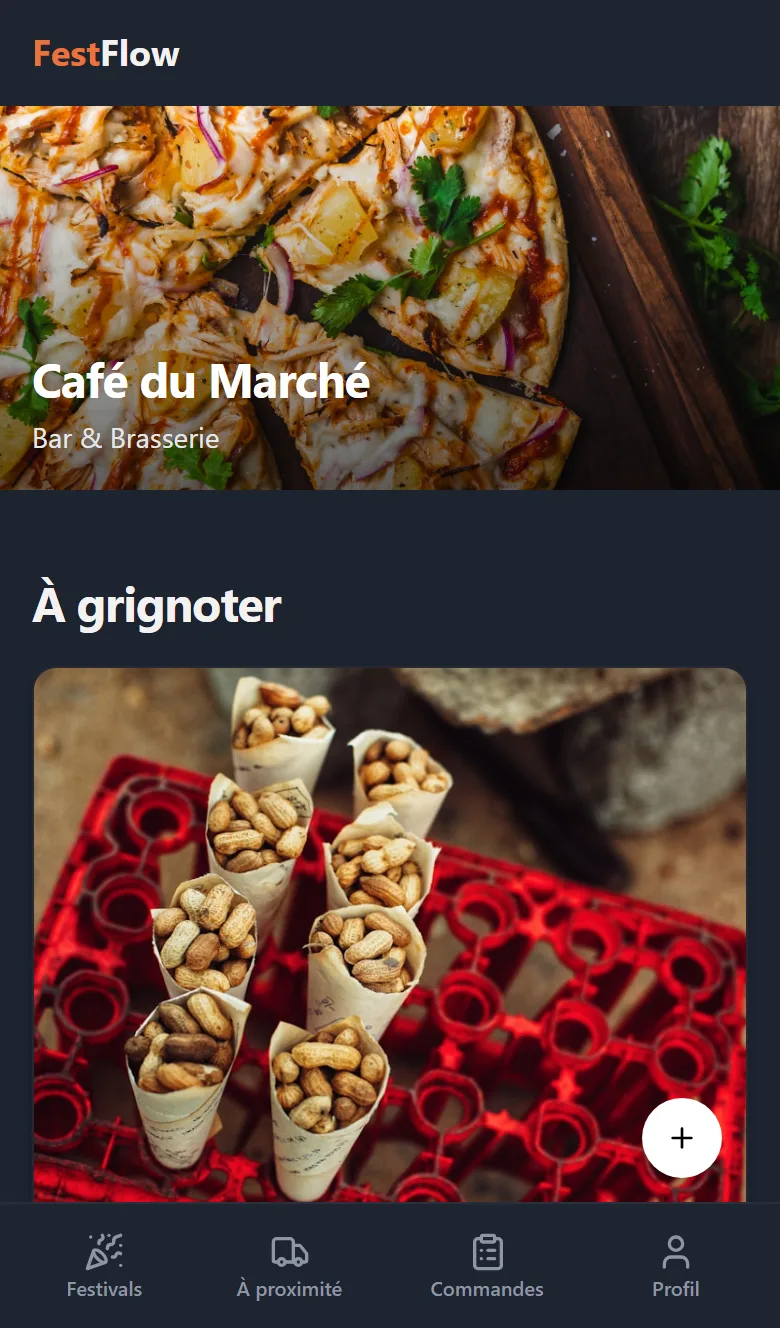
- Find you by searching “a terrace nearby” or “gluten-free”, then order and pay at the table without waiting for someone to come and take the order — with an account or anonymously, from the browser or the installed app. The drinks arrive straight away.
- Card and TWINT, the way they are used to.
- Live tracking of their order, instead of asking “is it ready?”.
- Your venue in their own language — and your bar stays a bar, not “a festival app”.
What FestFlow brings to your venue
Your menu, without retyping it
Photograph your menu, drop in the file or give your website address: FestFlow pulls out the dishes, the prices and the categories, and you check them over before publishing. Nothing goes live without your approval — products arrive as “unavailable” and allergens always as “not declared”, because that declaration is yours to make, not a machine’s.
Say what you feel like, in plain words
Your customer types “a really cold beer” or “gluten-free within a kilometre”, and the app turns it into real filters: food or drink, the 14 allergens, diet, terrace, distance, waiting time. Every result shows its own wait — the counter and the kitchen do not move at the same speed. What they type is read on the phone itself first: an allergy never leaves the device. The rest goes to a model hosted in Geneva, which does not train on your data.
The queue, without the queue
When every table is taken, the customer joins the queue from the app or from the QR code on your door. They see their position live, with a code that can be called out loud, get “almost your turn” and then “your turn”, and can attach their order as they join: it goes to the kitchen the moment they sit down, never before.
The waiter’s notebook, without the hassle
Call the next person, mark a “no-show” once the grace period is up, seat them from the suggested tables, write in by hand anyone who turns up without a phone — one queue for everyone. And who sat where stays on the table’s own record.
Thumbs up or down, dish by dish
Once they have picked up their order, your customer gives each dish a thumbs up or down. Only someone who has eaten the dish can vote — order paid for and picked up — so the numbers cannot be inflated. The votes sit next to the dish name and feed “what people like most”. The ranking therefore says exactly what it is: what people like, not what sells.
The 14 allergens, in the customer’s language
The mandatory declaration (OIDAl art. 5) is made once, on the dish’s own record, and appears translated in all five languages. Until something is declared, the customer reads “ask the staff” — never an empty list that would suggest there are no allergens at all. And the allergy warning stands out in red in the kitchen and on the printed ticket.
Order and pay at the table
Sitting at their table, the customer scans, orders and pays. The drinks go to the bar as soon as it is paid; the food follows when the kitchen is done.
Table service, one bill per table
Your waiter takes the order without charging straight away; the bill stays open per table and is settled at the end of the meal, in cash or on your usual card terminal. Cancellation is possible, always with a reason.
The Tables screen
Every open order on every table — taken by a waiter or placed in the app — and the total owed, at a glance.
A touchscreen POS built for Swiss habits
Favourites, search, change due, rounding to 5 centimes, card and TWINT. Fast when the queue builds up. Fiscal close-out — X/Z reports, VAT on the receipt, employee PIN — is still in development: it is not included today.
Every way of paying
In the app: card or TWINT.
At your place: cash, card or TWINT — the customer pays by QR from their phone, or on your own terminal, contactless if they like.
Whichever way they pay, it all lands in the same till and the same daily journal. No double charge is possible on QR payments.
The bar does not wait for the kitchen
Separate queues for the bar and the kitchen: a beer does not queue behind three mains. And with no screen in the kitchen, it is all handled from the counter — one tablet is enough.
Screen, ticket, or both
Your kitchen and your bar choose: the board on screen, automatic thermal printing routed to the right printer by product, or both at once. Printing holds up even when the connection wobbles.
A discount that takes work off your team
An automatic percentage, reserved for orders placed in the app — not at the POS. You nudge your customers into ordering for themselves, exactly at the hours when your team has no hands free.
The POS does not stop when the WiFi does
Selling carries on offline and syncs when the network comes back. The sale in progress survives even a tablet reload.
See it working
The real app, exactly as it is: the POS on your counter on the left, your customer’s phone on the right. We’ll show it to you live, with your menu and your prices.
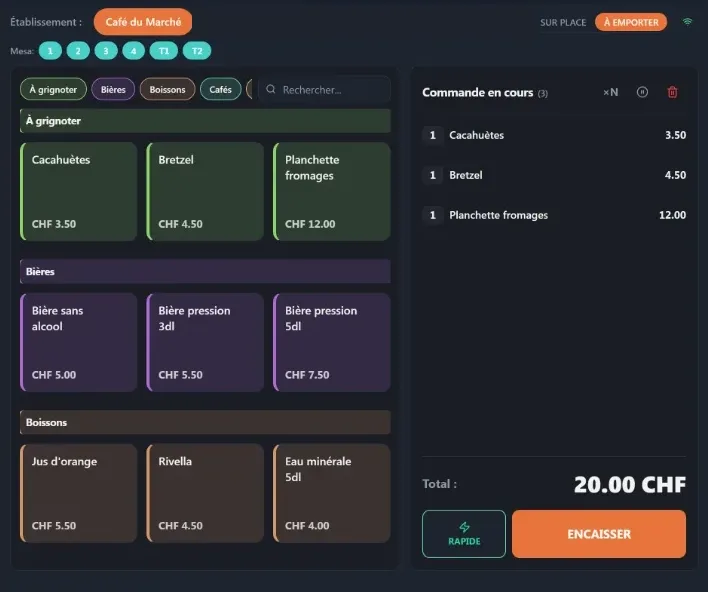
Every screenshot on this page comes from the real app.
Two minutes to see where you stand
A two-minute questionnaire, tailored to your sector: it tells you where you are losing time and money, and what to fix first. No obligation.
Let’s talk about your venue
Counter, terrace, dining room — tell us how you work and we’ll show you, in the real app, what FestFlow would change about your service.
Or write directly to contact@festflow.tech